


Bitcoin is a cryptocurrency - a form of electronic cash. A decentralized digital currency without a central bank or any single administrator.
It can be sent from user to user on a peer-to-peer network without the need for intermediaries, which also means minimal transactional fees.
There’s a set-up required before you’re up and running. We’ve put together a quick step guide for you to follow. Both Coinbase and CashApp are both secure and afford the easiest way to buy bitcoin and get depositing.
Our 24/7 support team is available to assist should you need help with your Bitcoin transactions. Contact us if you require assistance along the way, via any of our contact channels.
Cash App is one of the fastest growing wallets in the United States with over 35 million users! You can now make deposits to your casino account directly from your Cash App with the Bitcoin feature!
All you need to do is:
To deposit using bitcoin, simply proceed to the casino cashier on the deposit tab select Bitcoin as your preferred deposit method.
A QR code will be generated along with an address, you can either scan the QR code displayed in the cashier from your wallet, or you can copy the address in your cashier, proceed to your cash app wallet, click on “pay someone”.
Select Bitcoin as your method of payment add in the amount and the address you just copied, and your transaction should be completed within 10 minutes. It’s as simple as that!
*** Note that cash app is currently only available in the US and the UK. ***
Your Bitcoin wallet is equivalent to a bank account. It allows you to buy and send Bitcoin.
If you already have a wallet you like and works well for you, skip to step 3. If not, read on...
ONE OF OUR recommended wallet is COINBASE for the following reasons:
1.1) Download/Install for your relevant device below (IT’S FREE!)
Download for iOS / Download for AndroidCoinbase lets you buy Bitcoins instantly with a credit or debit card. Here are step-by-step instructions to help make the buying process easier for you.
1.2) Sign-Up For A Free Coinbase Account
Open up the Coinbase app, select "Sign Up", then follow the prompts to setup your free account – it’s really quick!
1.3) Complete Your Account Verification
In order to start trading, just like any other account involving financial transacting - for your data and personal information protection, you will be required to complete an account verification by submitting proof of identity – This is done digitally through the app – again, very quick, simply follow the app prompts!
2.1) Add Your Bitcoin Payment Method
2.2) Add Your Bitcoin Payment Method
*** Please do not use a debit card that is linked to a credit union, which uses the ACH payment method, as this can cause delays – if a debit card is used, it must be linked to a major bank that does not use ACH batch payment processing – Safer to just use your credit card if you are not sure, or contact your bank for more info ***
Finally! Time to make a Bitcoin deposit and get spinning!
3.1) In your casino account:
Note: NEVER pay to the same address twice! - It changes for every transaction
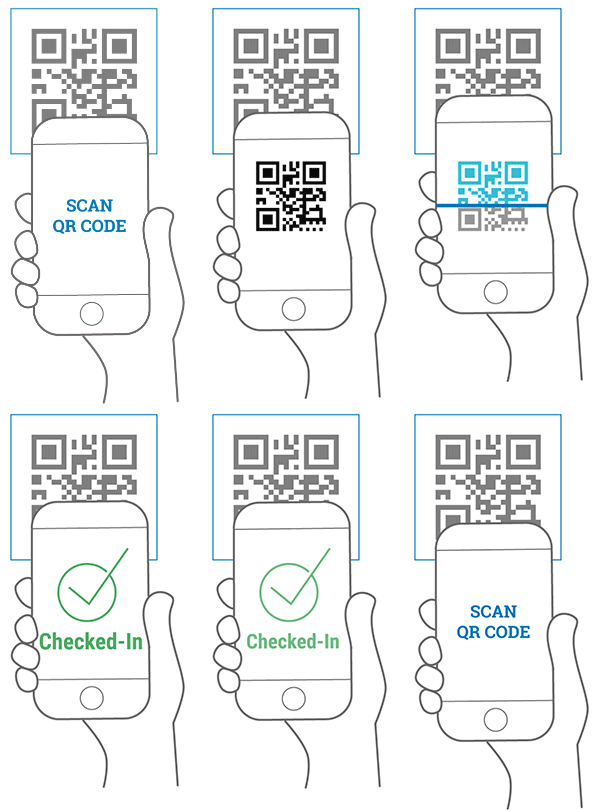
3.2) In your Coinbase app:
And you’re done!
Your transaction will show as pending on your Coinbase app for a few minutes, but can take a little longer during busy trading hours – Please contact us if your deposit hasn’t hit your account in +/-15 minutes.
Once your transaction is accepted in your Coinbase app, you will receive a confirmation email and your casino account will automatically be credited.
And that’s it! You’ve just made your first Bitcoin deposit! Future deposits will be much faster – Simply start at step 3, or step 2 if you’re low on Bitcoin to deposit with.